by Vaall
Description
Table Tags adds simple and powerful table tags to the 5E ruleset.
You can call any Fantasy Grounds table directly from an effect label using tags such as:
Depending on the syntax, the tag will either be replaced by a random result or prompt a manual selection.
- In-effect randomization: roll on FGU tables directly from effects
- Manual selection: choose a result at runtime using `; ?`
- Flexible syntax: supports `( )` and `[ ]`
- Column selection: by index or column label
- Recursive resolution: tables can call other tables
- NPC / CT safe: `( )` syntax avoids `[EFF:]` conflicts
What it does
Whenever an effect string is evaluated (for example when added to the Combat Tracker), the extension:
1. **Scans for table tags** in the text:
- `TableName`
- `TableName;Column`
2. **Resolves the table** using the standard FGU tables:
- Uses the table named `TableName`
- Selects the correct **result column** based on what you put after `;`
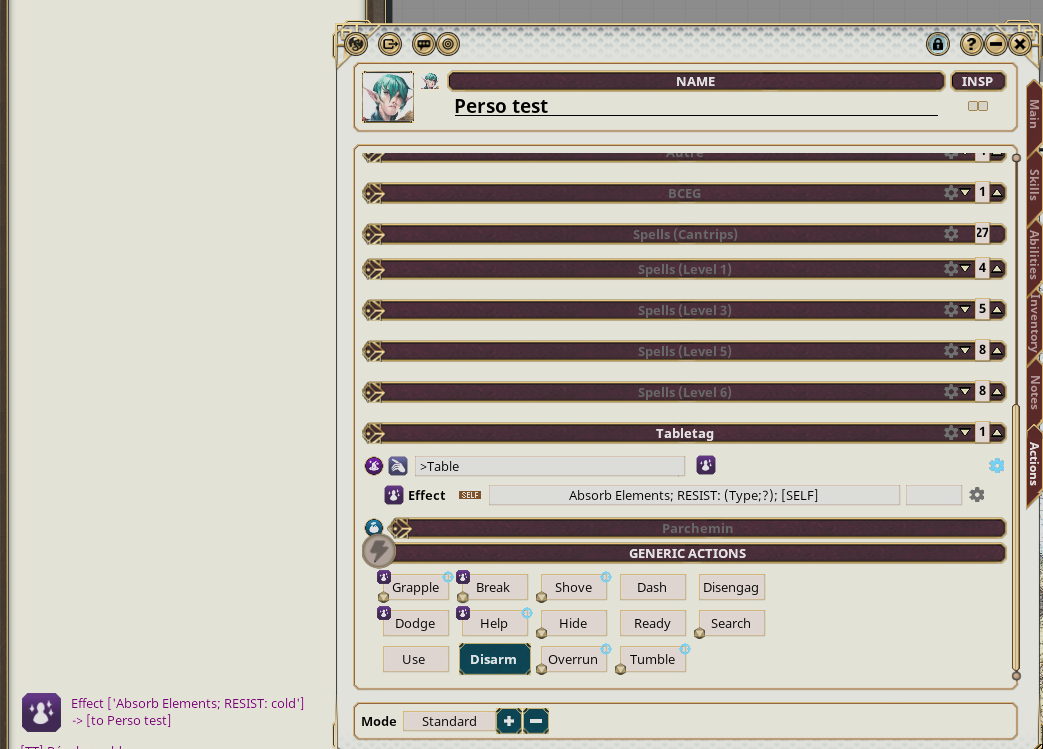
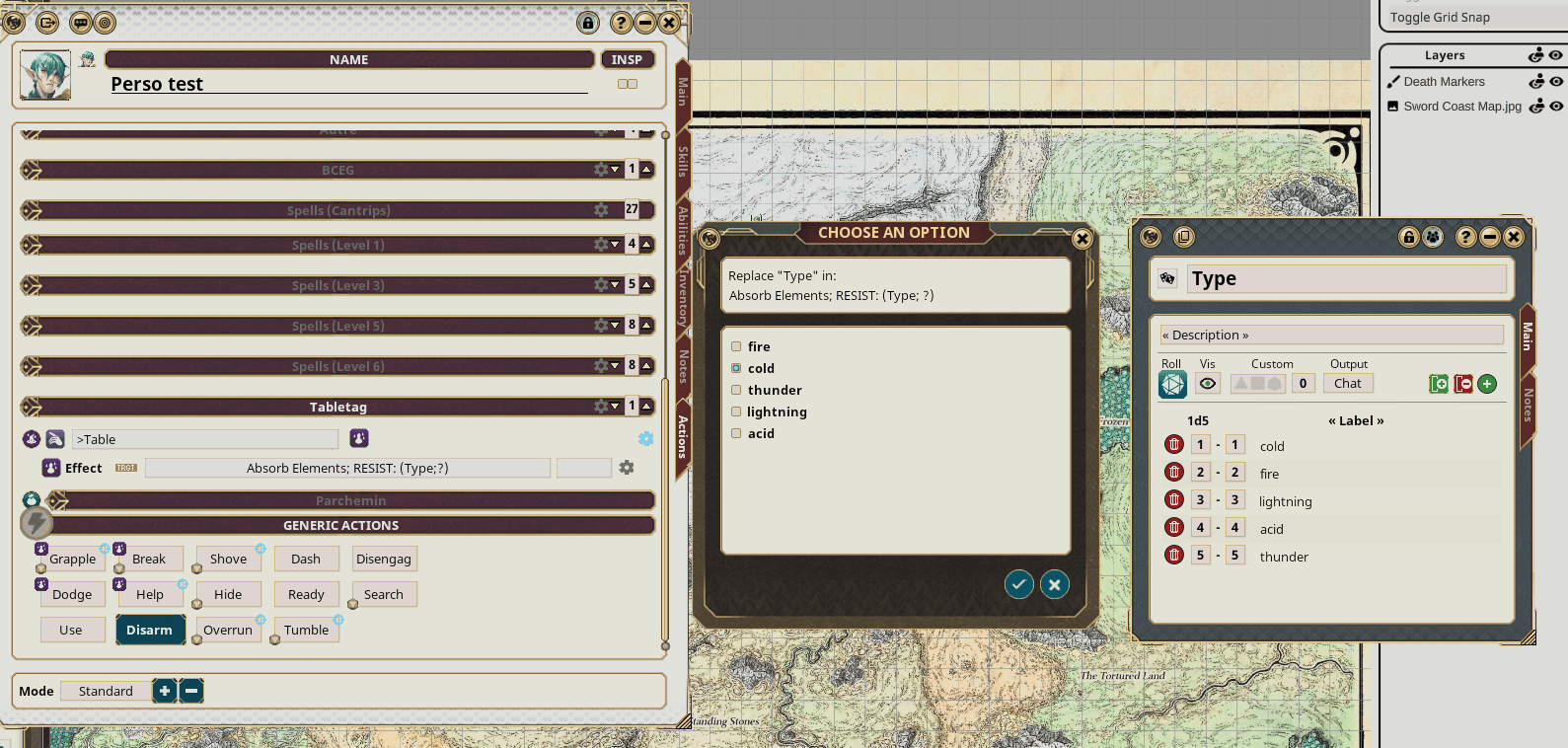
3. **Manual selection**
- If `; ?` is present, a dialog pops up
- The player or GM chooses the result
4. **Replaces the tag with the result**:
- Random result for standard tags
- User-selected result for manual tags
- Recursive resolution if results contain additional tags
You can combine Random Table Tags with other automation (BCEG, advanced effect managers, etc.) to build very dynamic and reusable effects.
Tag Syntax
#Random Table Tags supports the following forms:
- [TableName] or (TableName)
→ Roll on *TableName*, use **column 1** by default
- [TableName;N] or (TableName;N)
→ Roll on *TableName*, use **column N** (e.g. `;1`, `;2`, `;3`, …)
- [TableName;ColumnLabel] or (TableName;ColumnLabel)
→ Roll on *TableName*, use the column whose header/label matches `ColumnLabel`
(match is case‑insensitive and ignores leading/trailing spaces)
# Manual Resolution (User Selection)
- `[TableName;?]` or `(TableName;?)`
- [TableName;N;?] or (TableName;N;?)
- [TableName;ColumnLabel;?] or (TableName;ColumnLabel;?)
→ Opens a selection window allowing the user to pick a result manually
Example:
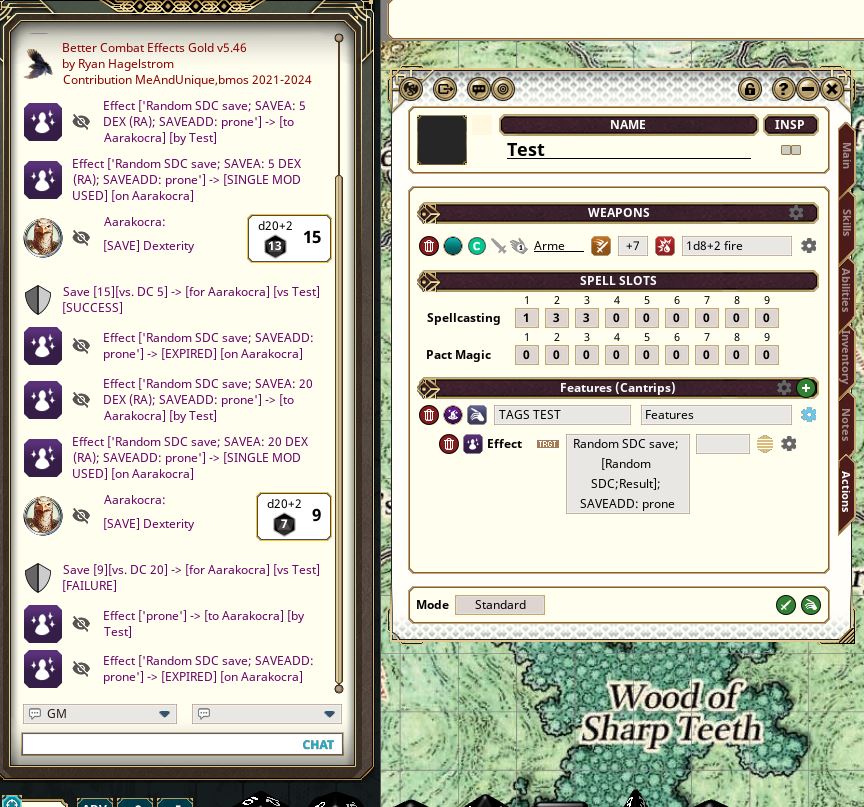
- TableName = [Random SDC]
| Value | Result |
| 1-5 | SAVEA: 5 DEX (RA) |
| 6-10 | SAVEA: 10 DEX (RA) |
| 11-15 | SAVEA: 15 DEX (RA) |
| 16-19 | SAVEA: 20 DEX (RA) |
| 20 | SAVEA: 25 DEX (RA) |
Effect to use : "Radom SDC save; [Random SDC;Result]; SAVEADD: prone"
This lets you vary save DCs or effects each time the effect is applied.

UUID 7aeb26c0-fec1-11f0-a411-0050562be458

