by madman
Description
M's Campaign Rolls Tracker
It does nothing until you press the update button. When you do:
It reads your campaign’s chatlog.html
Parses roll output lines (d20 rolls, damage, heals, effects, dying, etc.)
Writes totals into Party Sheet.
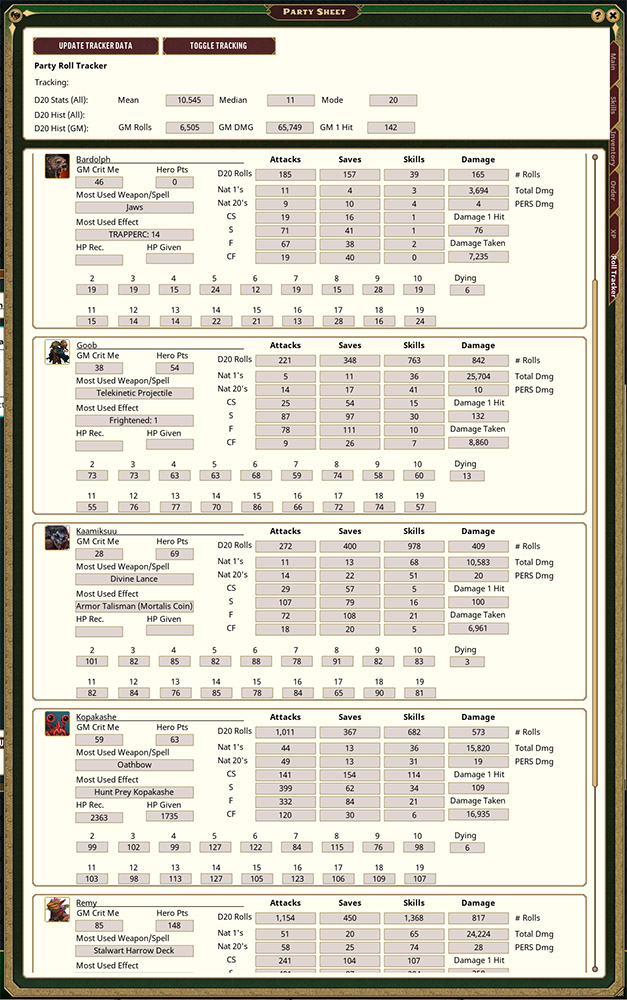
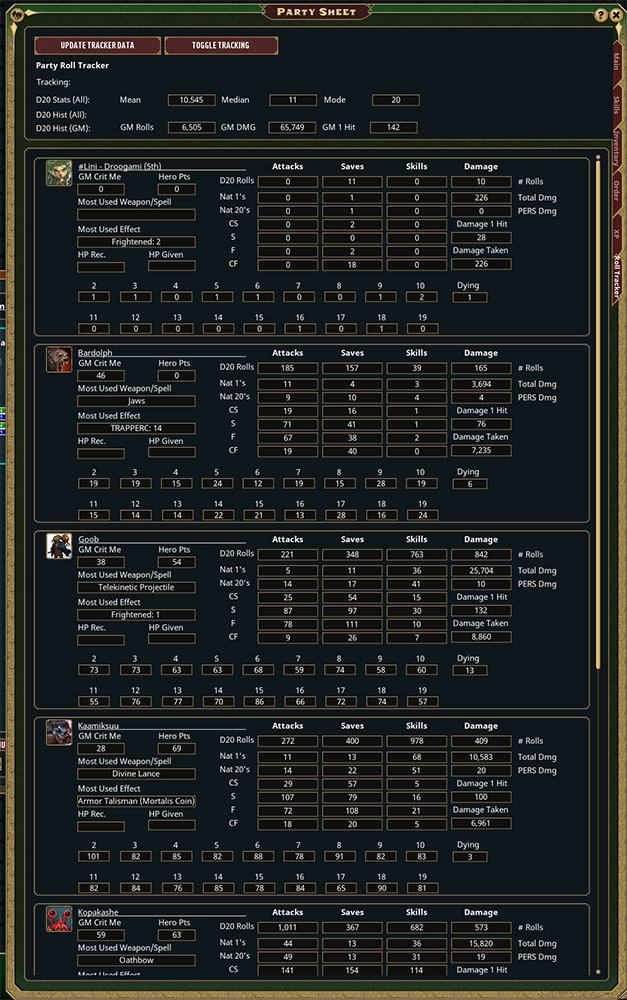
What it tracks (what you’ll see)
Header (GM Only)
GM totals: GM rolls, GM damage total, GM max hit
D20 histogram:(GM)
D20 Stats (All): Mean / Median / Mode (all d20 rolls)
Per character (each party row)
D20 histogram: (PC's)
Core totals: Attacks / Saves / Skills / Damage (counts + totals)
Damage: total damage number, max hit
Natural 1 / Natural 20 counts
Outcome buckets: CS / S / F / CF
Hero Point usage
“GM Crit Me” count (times the GM crit that PC)
Most used weapon/spell
Most used effect
Healing received and healing given
Damage taken
Dying count (times the PC gained “Dying”)
How to use it
Enable the extension in the campaign (as GM).
Open Party Sheet.
Go to the Roll Tracker tab and Press Update Tracker Data.
It parses the entire chatlog.html and writes updated totals.
Important behavior notes
If you delete/clear the chat log, the stats will change accordingly next time you update.
If you want “fresh” results after a big session, press Update Tracker Data again.
Stats come from what’s in the chat log.
IF YOU WANT STATS OVER AN ENTIRE CAMPAIGN, DO NOT DELETE YOUR CHATLOG...
I used this to parse a game we have been playing for 3 Years. If you do this, it will not parse the chatlog at Light Speed. Give it a few seconds to do it's thing.
UPDATES:
1.0.4 Fixed bug with healing not parsing correctly
For support
UUID 485f8800-19b9-11f1-a411-0050562be458

