by wrandalljr4
Total Subscribers:
Description
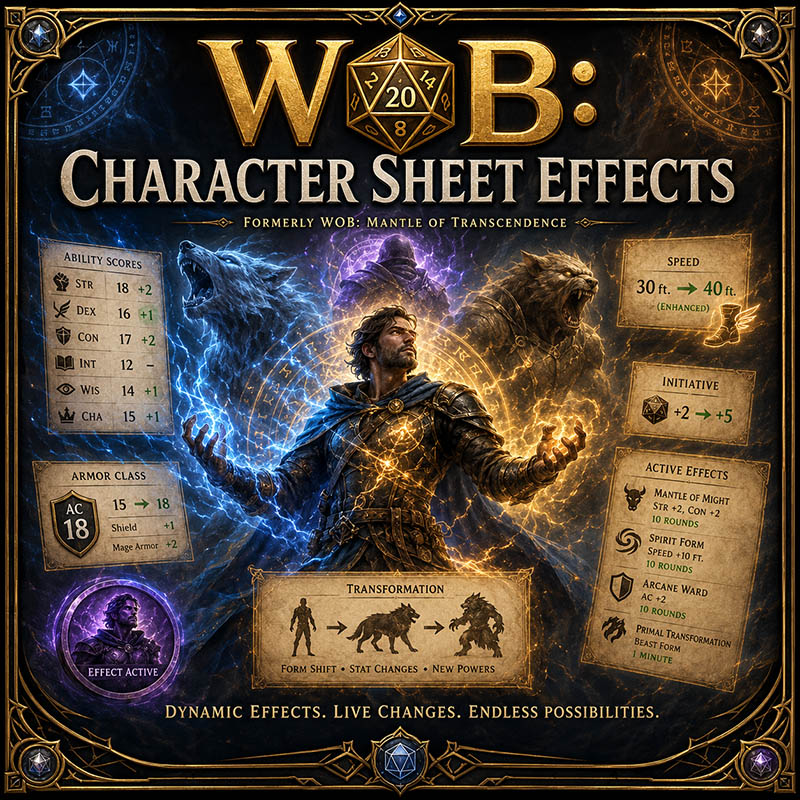
WOB: Character Sheet Effects
Formerly known as WOB: Mantle of Transcendence
The extension was renamed because it now does much more than shapechanging. All original Mantle features remain included, but the new name better represents its expanded ability to modify the character sheet through Combat Tracker effects.
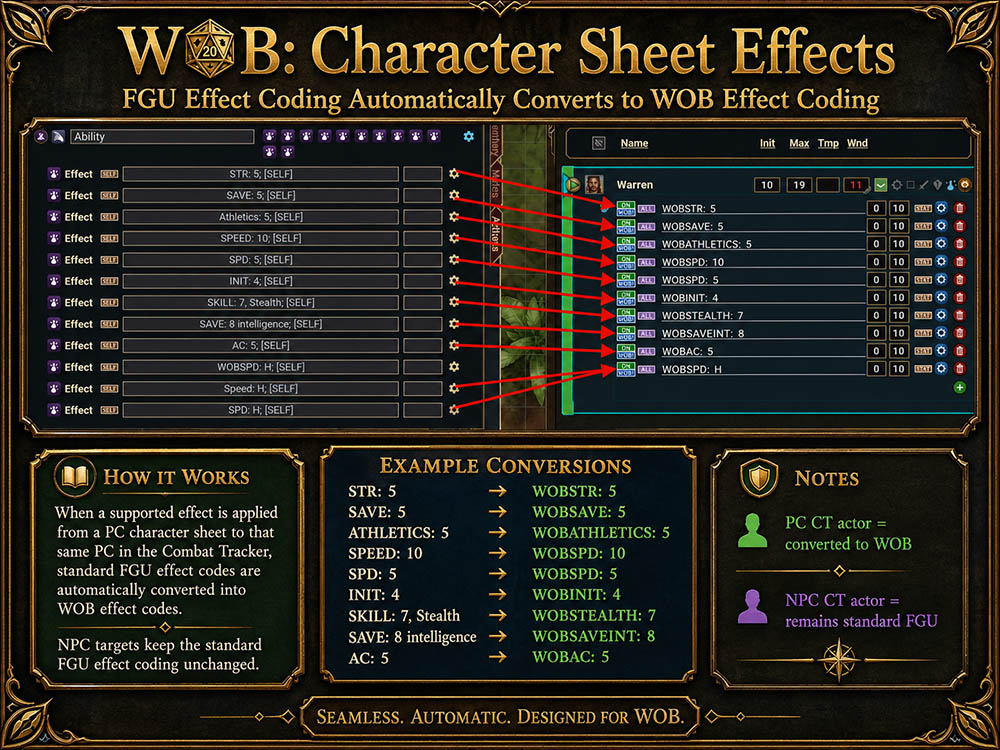
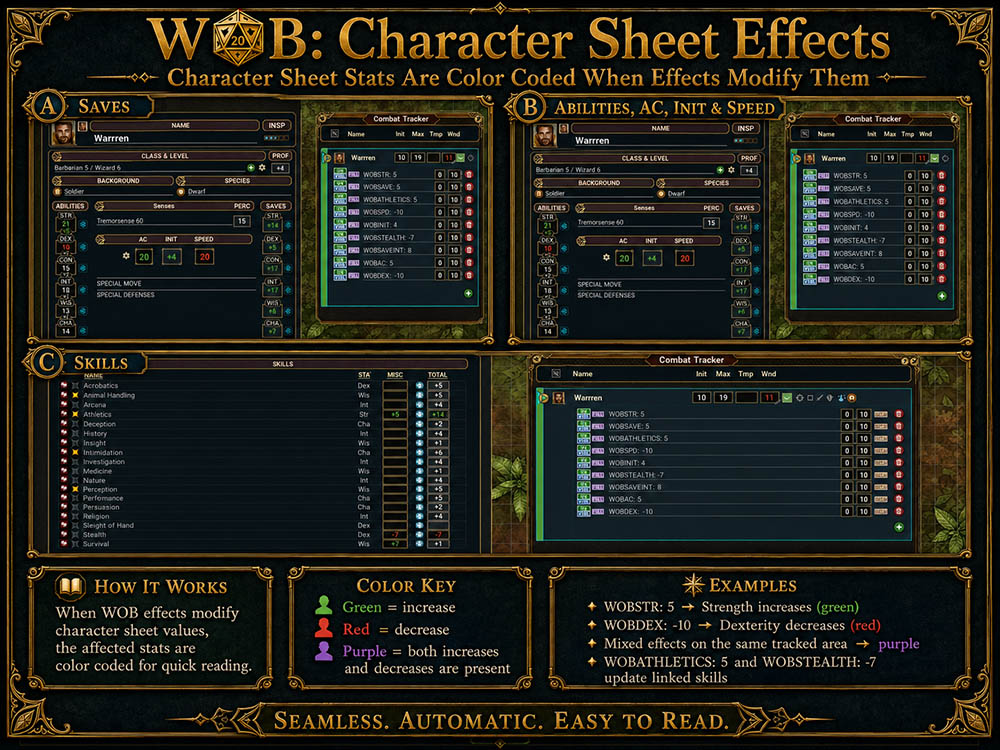
WOB: Character Sheet Effects allows the GM to apply supported effects to a player character’s Combat Tracker entry and automatically change values on the linked character sheet. Players use their sheets normally while the extension manages bonuses, penalties, replacement values, transformations, token changes, and restoration of the original statistics.
Video: Here
Character Sheet Modifiers
These effects add to or subtract from existing character-sheet values.
Ability Scores: WOBSTR: 2; WOBDEX: -2; WOBCON: 4; WOBINT: 1; WOBWIS: -1; WOBCHA: 2
Armor Class: WOBAC: 2
Speed: WOBSPD: 10 or WOBSPD: -10
Initiative: WOBINIT: 2 or WOBINIT: -2
All Saving Throws: WOBSAVE: 2
Individual Saving Throws: WOBSAVESTR: 2; WOBSAVEDEX: 2; WOBSAVECON: 2; WOBSAVEINT: 2; WOBSAVEWIS: 2; WOBSAVECHA: 2
Ability Checks: WOBCHK: 2, strength or WOBCHK: -2, dexterity
All Skills: WOBSKILL: 2
Strength Skill: WOBATHLETICS: 2
Dexterity Skills: WOBACROBATICS: 2; WOBSLEIGHTOFHAND: 2; WOBSTEALTH: 2
Intelligence Skills: WOBARCANA: 2; WOBHISTORY: 2; WOBINVESTIGATION: 2; WOBNATURE: 2; WOBRELIGION: 2
Wisdom Skills: WOBANIMALHANDLING: 2; WOBINSIGHT: 2; WOBMEDICINE: 2; WOBPERCEPTION: 2; WOBSURVIVAL: 2
Charisma Skills: WOBDECEPTION: 2; WOBINTIMIDATION: 2; WOBPERFORMANCE: 2; WOBPERSUASION: 2
Use a negative number to apply a penalty:
WOBATHLETICS: -2; WOBHISTORY: -1; WOBPERCEPTION: -3
Multiple components can be placed in one effect:
WOBSTR: 2; WOBCON: 2; WOBAC: 1; WOBSPD: 10; WOBATHLETICS: 2
Multiple active effects affecting the same value combine. Removing, disabling, or editing an effect automatically recalculates the sheet without permanently changing the character’s original statistics.
ALT: Alternate Character-Sheet Values
ALT: replaces selected character-sheet values with specific values. It does not create or control a transformation.
Supported entries include:
STR, DEX, CON, INT, WIS, CHA, AC, SPD, SPEED, FLY, SWIM, CLIMB, BURROW, SIZE, SZ, TEMPHP, THP
Example:
ALT: STR 18, DEX 14, CON 16, AC 15, SPD 40, FLY 60, SIZE 1
This sets the listed values instead of adding bonuses to them. When the ALT effect is removed or disabled, the original values return.
ALT can be used for temporary replacements caused by spells, items, class features, alternate statistics, or any effect that assigns a specific value.
SHIFT: Temporary Transformations
SHIFT: creates a temporary transformation. It can replace character-sheet values, grant Temporary Hit Points, change size and movement, and work with IMG: to replace the token.
Example:
SHIFT: STR 20, DEX 14, CON 18, AC 16, SPD 40, TEMPHP 30, SIZE 1
When the SHIFT form’s Temporary Hit Points reach zero, the transformation ends and the original character-sheet values return.
Use ALT: to replace selected values without creating a transformation. Use SHIFT: when the character enters a temporary form that should end when its Temporary Hit Points are depleted.
IMG: Token Changes
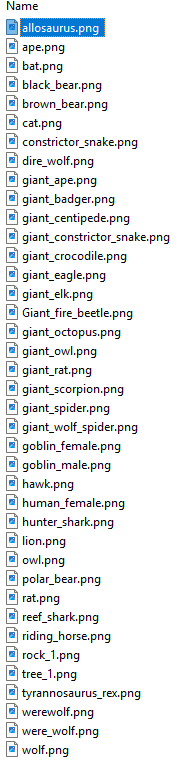
IMG: changes the character’s map token while the effect is active.
Example:
IMG: Dire Wolf
Do not include the image extension. Use IMG: Dire Wolf, not IMG: Dire Wolf.png.
The extension can search for supported image formats such as PNG, WEBP, JPG, and JPEG. When the effect ends, the original token returns.
IMG: can be used by itself or combined with ALT: or SHIFT:. Combining IMG: with ALT: changes the token and replaces selected values, but it does not make ALT a transformation.
Usage Examples
Replace values and use a Dire Wolf token:
ALT: STR 17, DEX 15, CON 15, AC 14, SPD 50, SIZE 1; IMG: Dire Wolf
This replaces the listed values and changes the token. It remains an ALT effect, not a SHIFT transformation.
Werebear transformation:
SHIFT: STR 20, DEX 14, CON 18, AC 16, SPD 40, TEMPHP 30, SIZE 1; IMG: Werebear
This creates a temporary Werebear transformation that ends when the Temporary Hit Points reach zero.
Replace values and use a flying token:
ALT: STR 12, DEX 18, CON 14, AC 15, SPD 20, FLY 60; IMG: Giant Eagle
Replace values and use an aquatic token:
ALT: STR 16, DEX 14, CON 16, AC 14, SPD 20, SWIM 60; IMG: Sea Hunter
Temporary burrowing transformation:
SHIFT: STR 18, CON 18, AC 17, SPD 20, BURROW 30, TEMPHP 25; IMG: Earth Beast
Combining ALT, SHIFT, and WOB Modifiers
ALT and SHIFT establish replacement values. WOB modifiers can then add to or subtract from those values.
Example:
ALT: STR 18, DEX 14, CON 16, AC 15
combined with:
WOBSTR: 2
results in Strength 20.
Removing WOBSTR returns Strength to the ALT value of 18. Removing ALT restores the character’s original Strength.
The same principle applies to SHIFT while the transformation remains active.
Effect States and Restoration
Supported effects respond to normal Combat Tracker states:
ON: Applies the change.
OFF or SKIP: Temporarily removes the change.
Edited: Recalculates using the new value.
Deleted or expired: Restores the correct underlying value.
WOB: Character Sheet Effects is useful for transformations, Wild Shape-style forms, polymorph, lycanthropy, alternate statistics, blessings, curses, magic items, class features, species abilities, temporary buffs and penalties, and custom campaign mechanics.
UUID 148a4d7a-1b77-11f1-a411-0050562be458

