Boss Bar Beta
by Thinkcrown
FREE
Description
Boss Bar (Beta)
Boss Bar Beta is the demo/testing ground for the Boss Bar extension. It includes all of Boss Bar's features, for free. The catch? You'll be testing out new features, and the beta will periodically become inert (featureless) when all current test features are deemed Live-quality. Please post any issues you find to the forum link—and if you find you like it, consider the real deal: Boss Bar
Boss Bar
With one click, turn on a big, crisp, horizontal boss health bar, hovering (most ominously) above the bottom edge of your map record windows.Illustriously framed, dynamically resizing to your preferred window-width, and accentuated with regal, state-dependent iconography—it’s time to treat your kings to their thrones, and your players to an experience they’ll never forget (come victory or death).
Rulesets: 5E, Pathfinder 1E, 3.5E
Core Features
- Big Health Bar: Let your eyes feast upon your chosen champion's visible vigor:
- Big, crisp, horizontal health bar, locked vertically a few fingers above the bottom of your map records.
- Watch as it decreases from right-to-left as wounds amass.
- Boss Button: Below the every CT entry's "Identify" and "Hide" buttons, a GM will find the new boss button:
- Click once to set the chosen entry as the boss.
- Click twice to turn off all boss UI.
- Dynamic position: The boss button always knows where it ought to be, faction or no.
- Click once to set the chosen entry as the boss.
- Click twice to turn off all boss UI.
- Dynamic position: The boss button always knows where it ought to be, faction or no.
- Stylish, Dynamic & Non-Obtrusive
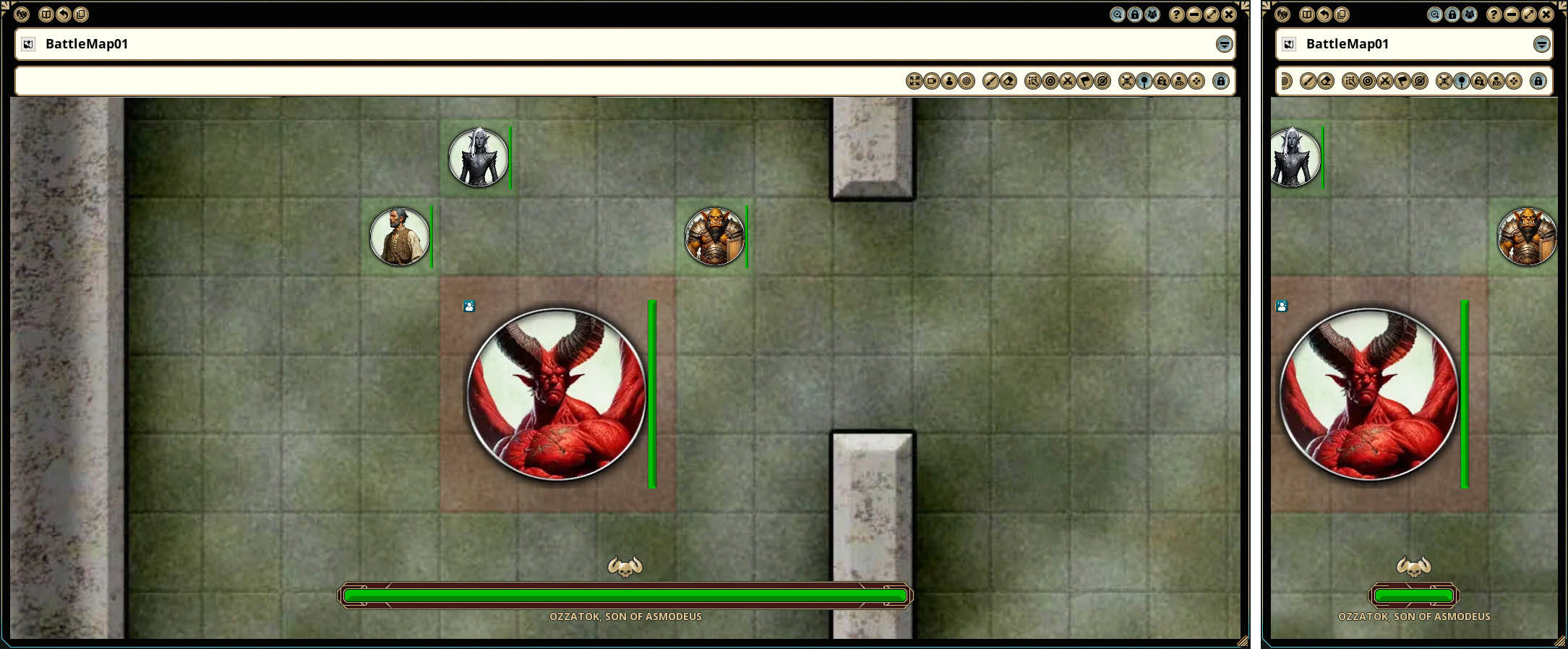
- Dynamic Bar-and-Frame Width: Playing with a very small or thin map record? Desktop space constraints? No problem!
- Both bar and frame smoothly shrink and grow width-wise to fit any size of window you've got!
- Set the map as the background of your FG desktop? Also no problem; the boss UI adjusts to its new, much wider home!
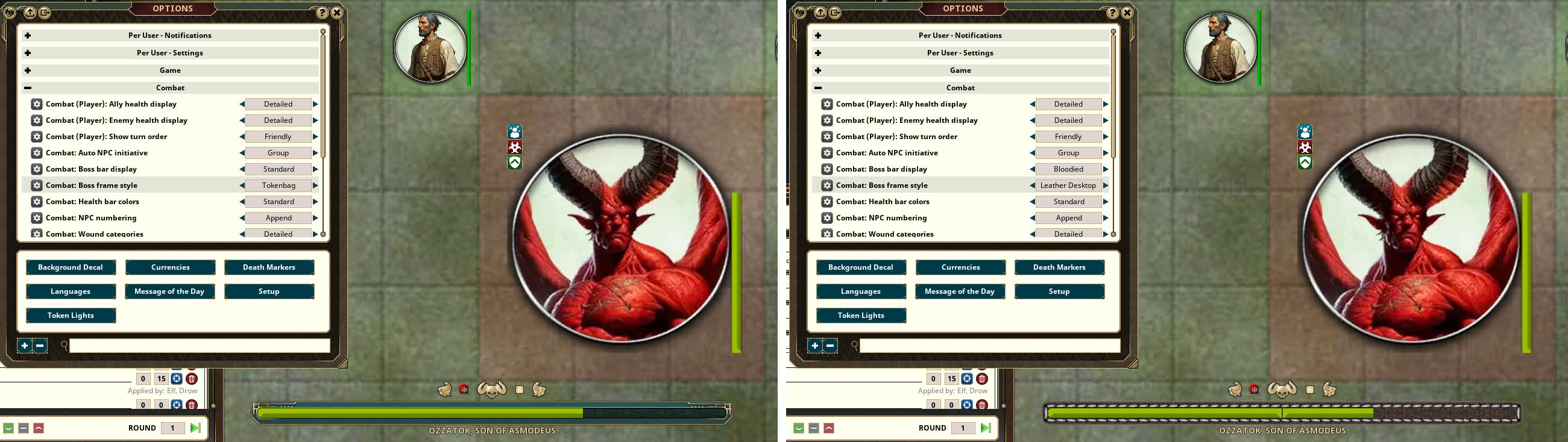
- Frame Variant Options: In Options Combat Combat: Boss frame style, choose from up to 12 different unique frames to clad your boss bar out in.
- Non-Obtrusive UI:
- Appears only in records that contain creature tokens, so your GM handouts and image files are safe from clutter.
- Floats overtop of all other objects within said records.
- Dynamic Bar-and-Frame Width: Playing with a very small or thin map record? Desktop space constraints? No problem!
- Both bar and frame smoothly shrink and grow width-wise to fit any size of window you've got!
- Set the map as the background of your FG desktop? Also no problem; the boss UI adjusts to its new, much wider home!
- Frame Variant Options: In Options Combat Combat: Boss frame style, choose from up to 12 different unique frames to clad your boss bar out in.
- Non-Obtrusive UI:
- Appears only in records that contain creature tokens, so your GM handouts and image files are safe from clutter.
- Floats overtop of all other objects within said records.
- OZZATOK, SON OF ASMODEUS: Your boss's CT entry-set name appears in big, bold letters below the bar.
- Double click the CT boss button to refresh the name if you decide to change it to something longer, titled, more befitting the adversary of your heroes!
- Double click the CT boss button to refresh the name if you decide to change it to something longer, titled, more befitting the adversary of your heroes!
- Health Bar-Type Options: Go to Options Combat Combat: Boss bar display:
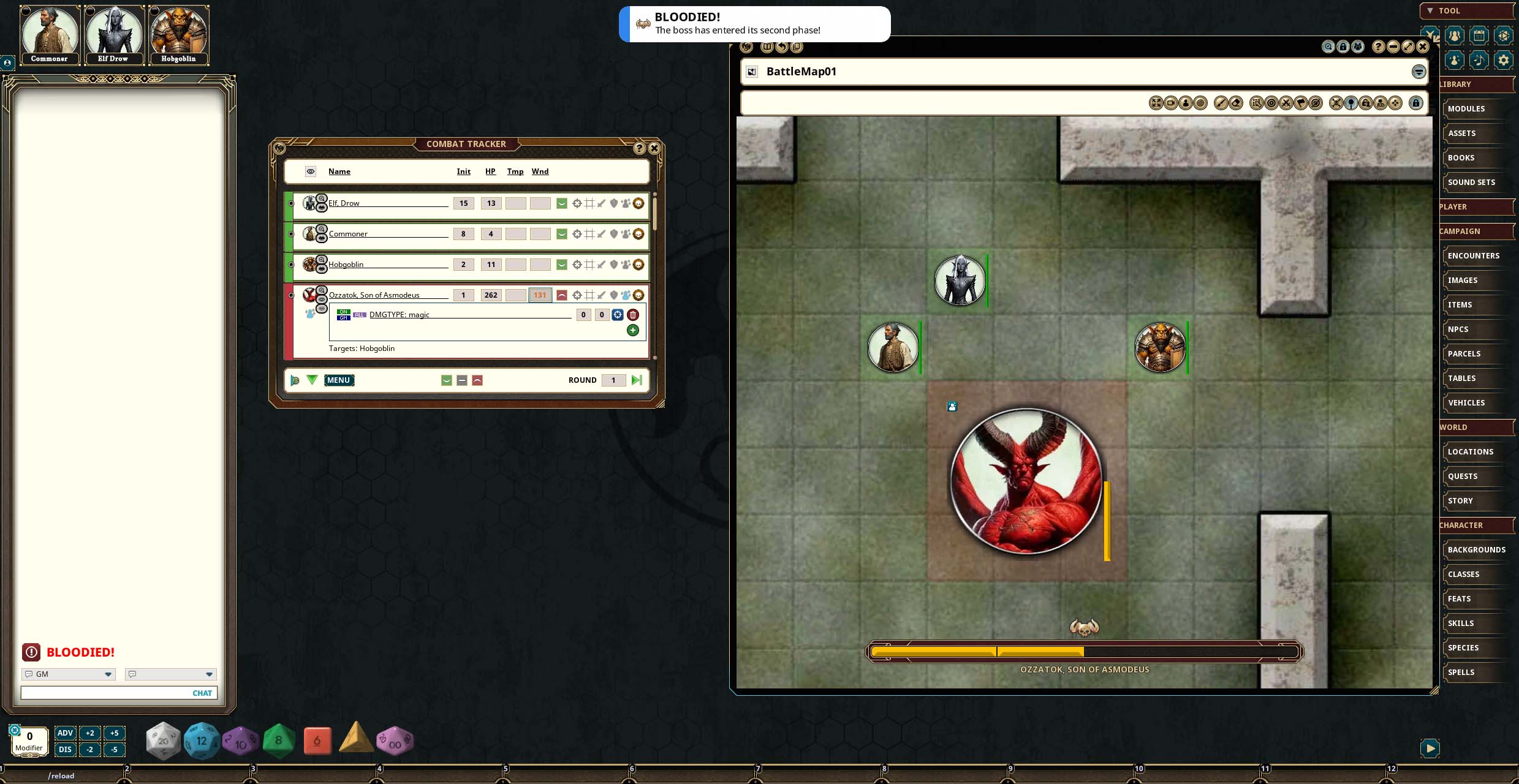
- Have a boss with Bloodied mechanics? Choose the "Bloodied" option to swap your bar out for a one with a segment break at the 50% mark.
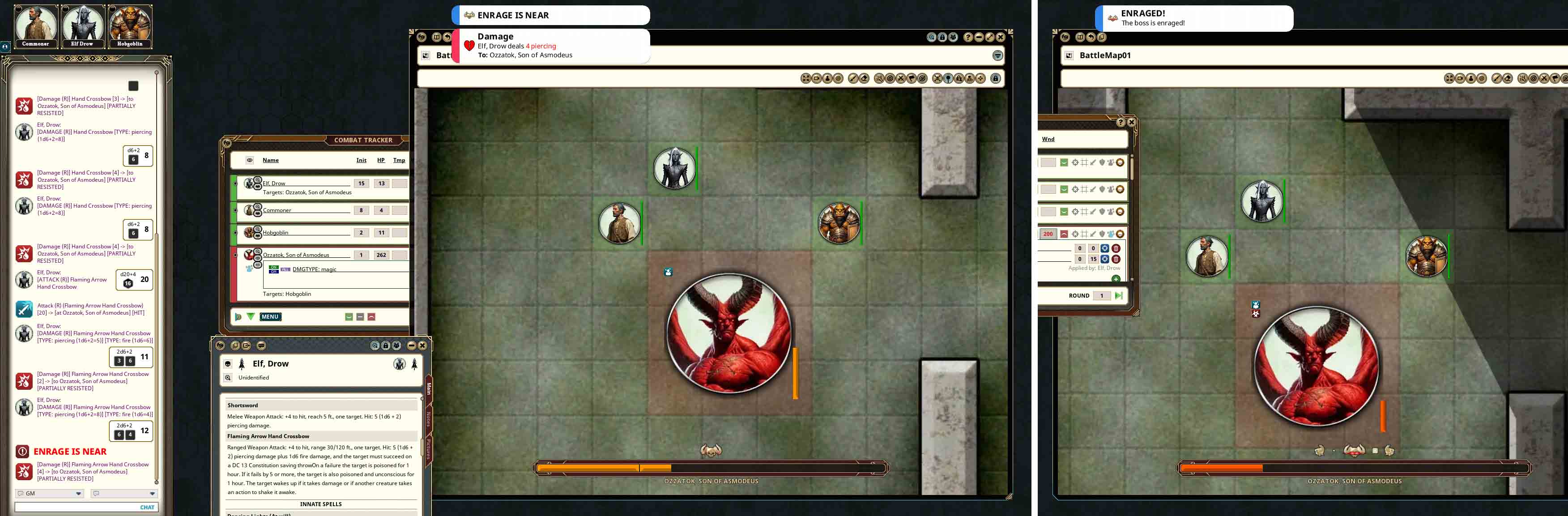
- Have a boss with Enrage mechanics? Choose the “Enrage” option for a bar with a segment break at the last chunk of health, for a final last-stand!
- Can't decide? Choose the “Bloodied & Enrage” option for both! Whichever you choose, each comes with additional extension mechanics activated when the boss’s health gets to, and close to, said segments breaks (see below).
- Dynamic Horned Skull Icon changes based on the state of the boss:
- Blood-dripping when bloodied (at half-or-less health when using the “Bloodied” or “Bloodied & Enrage” bar options).
- Glowing red eyes when enraged (when using the “Enrage” or “Bloodied & Enrage” bar options).
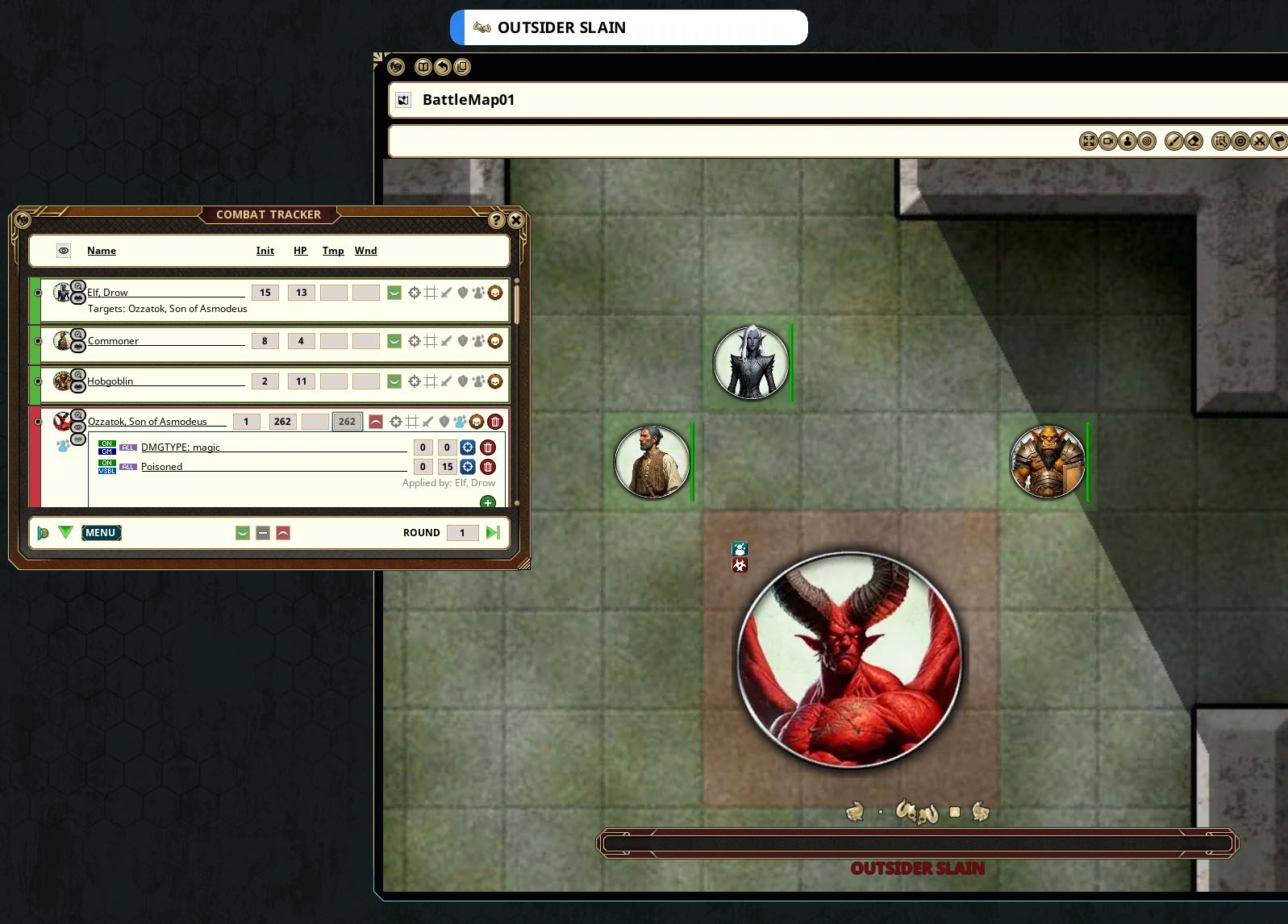
- Broken in half, when the boss has been defeated!
- Informative UI: When the boss has or gains at least one condition, effect, or "discovery" (see below), an icon appears representing it.
- Debuffs to the boss are rendered in gold (because gold is good for the heroes!) to the right of the horned skull.
- Buffs to the boss are rendered in red to the left of the horned skull.
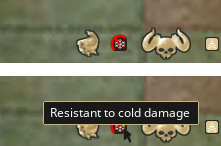
- Tooltipped: All info icons, when hovering the mouse cursor over them, reveal tooltips of what they represent (e.g., "Resistant to cold damage").
- Persistence: Even if the boss UI is turned off, or the boss is set to a different creature, these icons return when said prior boss is re-set as the boss, so long as the CT effect created for it remains.
- Discovery Icons: When a creature hits the boss with an attack that deals damage of a type in which the boss is resistant, immune to, or vulnerable to (including SR and DR for 3.5E), an icon representing that new insight appears where appropriate (left or right of the horned skull).
- "Resistant to ____ damage" icons include half a red 'no-symbol',
- "Immune to..." include a full 'no-symbol', and
- "Vulnerable to..." include a full green circle.
- "Resistant to ____ damage" icons include half a red 'no-symbol',
- "Immune to..." include a full 'no-symbol', and
- "Vulnerable to..." include a full green circle.
- Summary Icons: Too many boss condition, effect, or discovery icons to contain within your map record window's width? No problem!
- The boss UI automatically ensures that they'll instead be represented by a single 'scroll-symbol' summary icon, replacing the last-icon-to-have-enough-space, and containing the tooltips of every icon absent.
- The boss hand bookenders themselves also know to skedaddle when the window sides are too close.
- Chat and Toast Alerts: ENRAGE IS NEAR, ENRAGED, BLOODIED, and unique text (based on the type of creature the boss is) for its defeat (e.g., OUTSIDER SLAIN) appear in big, bold, red letters in both chat and the toast system when the boss's health bar reaches the end of the notification-related health bar segments (if using a segmented bar option) or the bar's end.
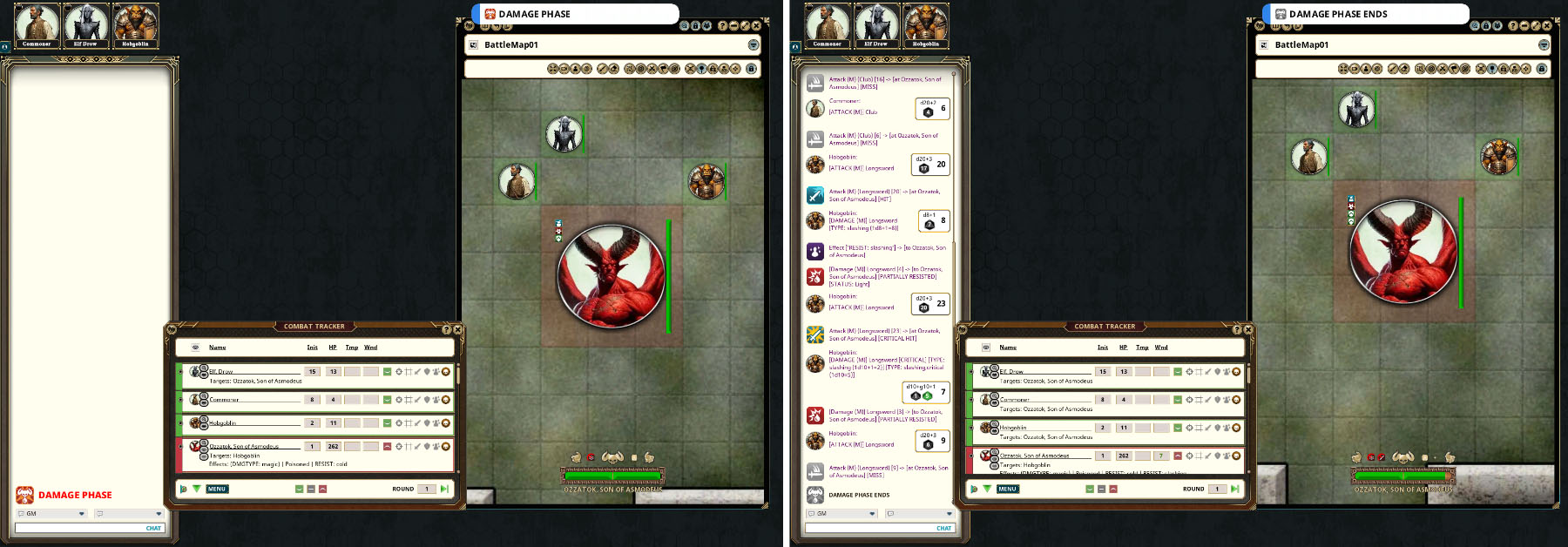
- Damage Phase: At any point, the GM can type /damagephase (as a slash command into the chat) to create both a chat big, bold, red letter alert "DAMAGE PHASE" (and a toast).
- While no mechanical effect follows this, you might find it fun to limit points at which a boss might be non-immune-to-all or vulnerable-to-all for play or narrative purposes. Personally, I plan to allow my PCs to perform three attacks in a row before the "phase" ends (type /damageover ).
- A great way to allow players to feel the statistical might of their combined party power output.
- Customer Service: If you have any errors or issues—even if they're caused by cross-extension conflicts—post about it on the forum (linked above)!
- The boss UI automatically ensures that they'll instead be represented by a single 'scroll-symbol' summary icon, replacing the last-icon-to-have-enough-space, and containing the tooltips of every icon absent.
- The boss hand bookenders themselves also know to skedaddle when the window sides are too close.
- While no mechanical effect follows this, you might find it fun to limit points at which a boss might be non-immune-to-all or vulnerable-to-all for play or narrative purposes. Personally, I plan to allow my PCs to perform three attacks in a row before the "phase" ends (type /damageover ).
- A great way to allow players to feel the statistical might of their combined party power output.
New Features!
- Pathfinder 1st Edition & 3.5E Rulesets Compatible New Pathfinder 1E / 3.5E condition icons, discovery icons (for DR and SR), and new, optional poison automation (for the boss).
- Mythic Phase (for 5E, and PF1E/3.5E) Write "Mythic" into your chosen boss's Traits or Feats and watch as they rise from their first death, fully healed, with new, imposing boss icons; the MYTHIC PHASE has begun!
- Spooky Mode (Have your players fight a boss during Halloween).
UUID a451c5f4-38f6-11f1-a411-0050562be458

